

If your campaign touches housing, employment, financial products, or social issues, Meta requires you to declare a Special Ad Category at setup, no exceptions. Doing so strips out lookalikes, forces broad age and gender targeting, enforces minimum geo radii, and puts your landing pages under tighter scrutiny. The fix isn’t complicated: declare the right category before launch, rebuild your audiences around first-party data, and audit your landing pages for triggers before Meta finds them for you.
TL;DR:
- Declaring the correct Special Ad Category forces broader targeting restrictions, including a minimum geo radius of 15 miles in the US and Canada.
- Lookalike audiences are entirely removed once a category is selected, so advertisers must rely on first-party data and CRM segments.
- Landing pages with pre-qualification forms or financing references can trigger enforcement, requiring a thorough audit before launch.
- Accurate setup of special_ad_category fields and running tune_for_category are essential to prevent ad rejection or account flags.
- Focusing on lead quality and building audiences around first-party data can offset higher costs caused by restricted targeting.
Table of Contents
- What Is the Meta Special Ad Category Checklist?
- What Are the Special Ad Categories and When Do They Apply?
- How Do Targeting Restrictions Change Campaign Performance?
- How Do You Set Up a Compliant Campaign in Ads Manager?
- What Creative and Landing Page Signals Trigger Enforcement?
- What Should Real Estate Advertisers Prioritize First?
- Why Tighter Targeting Actually Rewards Prepared Advertisers
- How ex.plo.re Helps You Stay Ahead of Category Enforcement
- Where to Read Meta’s Official Special Ad Category Policies
- Sources
- FAQ
What Is the Meta Special Ad Category Checklist?
Before you touch targeting settings, confirm whether your campaign or landing page belongs in Housing, Employment, Financial Products and Services, or Social Issues, Elections, and Politics. Getting this wrong is the single most common reason accounts get flagged.
Once you know your category, work through this sequence:
- Set or update special_ad_category and special_ad_category_country in Ads Manager or via the API, and run tune_for_category on saved audiences so they convert to compliant segments automatically.
- Strip out lookalike audiences and any advertiser-curated detailed targeting. Replace them with Special Ad Audiences or first-party CRM segments.
- Adjust geo targeting to meet the minimum radius, remove ZIP-code targeting, and eliminate location exclusions.
- Reset age and gender fields to the ranges Meta permits under the category.
- Edit landing pages to remove pre-qualification forms or job application flows if they weren’t meant to trigger in-scope enforcement.
None of these steps are optional once a category applies. Skip one and you’re gambling on whether Meta’s review catches it first.
What Are the Special Ad Categories and When Do They Apply?
Meta recognizes four Special Ad Categories, and each one covers more ground than most advertisers assume.
- Housing: ads for the sale, rental, or appraisal of residential property. Property listings, open houses, and mortgage offers all qualify. Borderline case: a “neighborhood guide” landing page that quietly links to a listing.
- Employment: job postings, internships, and recruiting campaigns. Borderline case: an ad promoting your “team culture” that ends on an application form.
- Financial Products and Services: credit cards, loans, insurance, and investment products. This value replaced the old Credit category, with enforcement starting January 21, 2025 for campaigns targeting the United States.
- Social Issues, Elections, or Politics: ads referencing legislation, candidates, or contested social topics. Borderline case: a “housing affordability” op-ed ad that reads as advocacy rather than a straight listing promotion.
Real estate and luxury-brokerage advertisers usually land in Housing, but a financing callout or an “apply for pre-approval” link can pull a campaign into Financial Products and Services without anyone flagging it internally first.
How Do Targeting Restrictions Change Campaign Performance?
Selecting a Special Ad Category doesn’t just limit who you can target. It resets the math on what a “good” campaign looks like.
Once the category is active, Meta locks in a fixed set of restrictions:
- Age targeting collapses to a broad, non-adjustable range (commonly 18 to 65-plus).
- Gender targeting is disabled; ads run to all genders.
- Lookalike audiences are removed entirely.
- Detailed targeting options shrink to a narrower, category-approved list.
- ZIP-code and neighborhood-level targeting disappear.
- A minimum geo radius applies: Meta commonly cites 15 miles or 25 kilometers for US and Canadian campaigns, while Google enforces a 1 kilometer minimum radius on its own restricted targeting for labeled ads.
Broader, less precise audiences typically increase CPMs and may dilute message relevance, reflecting the tradeoff of reduced targeting precision under Special Ad Categories.
Pro Tip: Focus your KPIs more on lead quality and conversion rates rather than CPM or reach metrics. Campaigns under Special Ad Categories may have higher costs but yield cleaner leads and better downstream outcomes.
The practical fix isn’t fighting the restriction. It’s investing where the restriction doesn’t reach: CRM-driven audiences and stronger conversion tracking recover much of the efficiency lookalikes used to provide, and sharper creative testing picks up the rest.
How Do You Set Up a Compliant Campaign in Ads Manager?
The mechanics matter as much as the strategy. Get these fields wrong and the campaign gets flagged before it ever spends a dollar.
- In Ads Manager, at the ad set level, locate the Special Ad Category selector and choose the applicable category, or set special_ad_category directly if you’re building through the Marketing API.
- Set special_ad_category_country using ISO Alpha-2 codes for every country you’re targeting. Leave it blank and Meta defaults to your listed tax country, which can misfire for cross-border campaigns.
- Run tune_for_category on any saved audience you plan to reuse. This automatically strips disallowed targeting parameters instead of forcing you to rebuild from scratch.
- Confirm your geo settings meet the minimum radius and don’t include ZIP-level or neighborhood exclusions.
- If you’re migrating saved audiences between ad accounts, re-run the tuning step in the destination account. Compliance settings don’t always carry over cleanly.
Real estate teams juggling multiple listings often reuse audience templates across campaigns. That’s exactly where stale, non-compliant targeting settings sneak back in.
What Creative and Landing Page Signals Trigger Enforcement?
Meta doesn’t just read your ad copy. It reads your landing page, and the two need to tell the same story.
Common triggers that pull a “neutral” ad into Special Ad Category enforcement include:
- A mortgage calculator with a pre-qualification form attached.
- An “Apply Now” button on what looks like a general awareness ad.
- A listing page with a direct “book a viewing” flow tied to contact capture.
- Copy referencing financing terms or hiring intent, even in a caption.
The enforcement pattern is consistent: Meta correlates landing-page content and forms with ad intent, often flagging ads automatically regardless of how careful the creative looks. You cannot hide a regulated offer behind neutral ad text if the destination page asks for a mortgage pre-approval.
Pro Tip: Before launch, open your landing page in an incognito window and ask: “If I knew nothing about this brand, would this page look like a loan application or a job posting?” If yes, assume Meta will treat it that way too.
Run a quick audit protocol on every page: isolate educational content from conversion flows, and never link a prequalification page directly from an ad unless the category is already declared. When ads do get flagged, editing the page or creative typically triggers an automatic re-review, so fix the root cause once rather than resubmitting repeatedly.
What Should Real Estate Advertisers Prioritize First?
Property advertisers get caught most often through imagery and landing-page flow, not obvious ad copy. Listing photos plus a “book a viewing” button reads exactly like an in-scope Housing ad, even when your caption is generic.
Start with these priorities:
- Audit your funnel and separate informational content (market updates, neighborhood guides) from transactional pages before you spend a dollar on amplification.
- Rebuild targeting around CRM-based segments and Special Ad Audiences instead of lookalikes, and elevate lead quality in your weekly reporting.
- Validate geo radius settings, rewrite landing pages that trigger prequalification flows, rebuild audiences from scratch where needed, and run small-budget tests before scaling.
- Keep documentation of every change. Account Quality reviews move faster when you can show what you fixed and when.
For platforms beyond Meta, the Google Ads housing policy setup follows a similar logic but with different mechanics worth understanding side by side. And if your listing pages need a rebuild anyway, a 90-day landing page checklist is a faster starting point than rebuilding from zero.
Pro Tip: If you’re running the same campaign across Meta and Google, don’t assume one platform’s compliant setup satisfies the other. Google’s minimum radius and Meta’s minimum radius are different numbers, checked differently.
Why Tighter Targeting Actually Rewards Prepared Advertisers
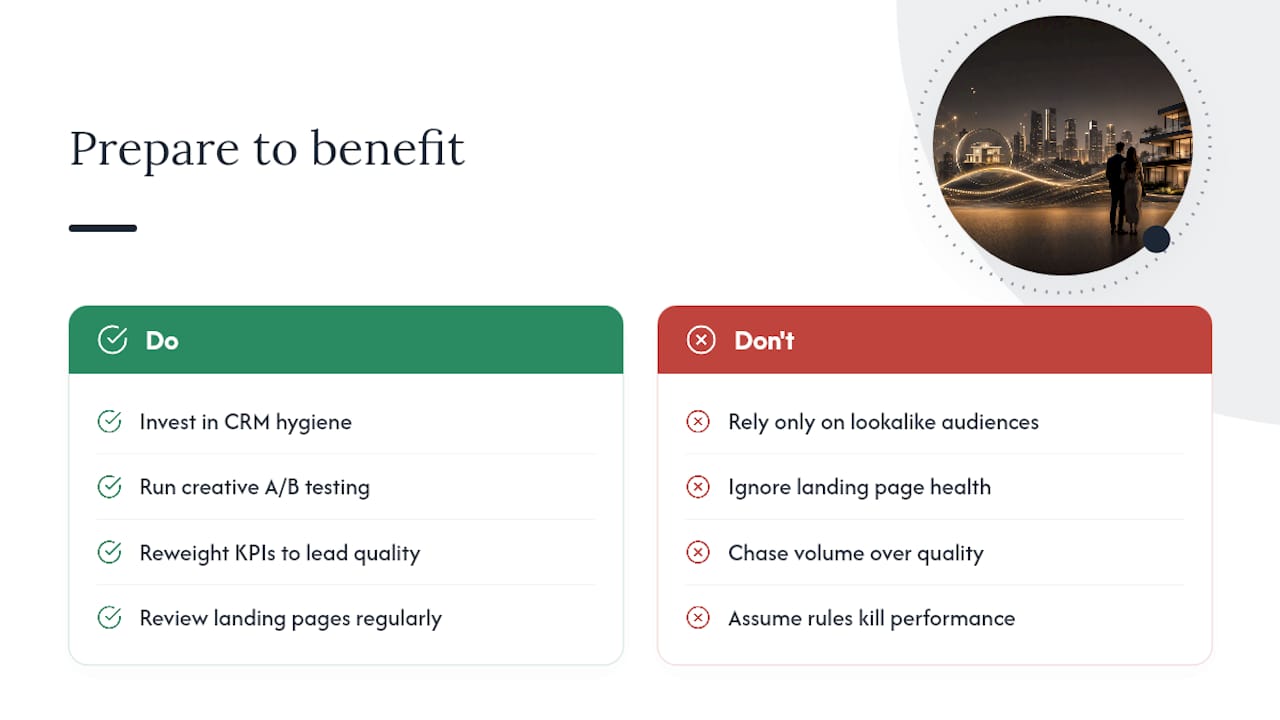
The conventional complaint is that Special Ad Category rules gut performance. That’s only half true. What they actually do is punish advertisers who never built a real audience strategy beyond lookalikes.
Agents who invest in CRM hygiene and creative testing now hold a durable edge once competitors get squeezed by the same restrictions. I’ve seen the same pattern repeat across real-estate accounts: the flag usually traces back to a landing page nobody had reviewed in months, not the ad itself. Reweight your KPIs toward lead quality over volume, and the “restriction” starts looking like a filter for better clients.
— Jason
How ex.plo.re Helps You Stay Ahead of Category Enforcement
There are prospecting and campaign tools built to address this problem: compliant setup that doesn’t sacrifice lead quality. When a listing campaign gets flagged or a financing-adjacent landing page trips enforcement, most agents lose days rebuilding audiences manually. Certain platforms handle campaign setup, landing-page audits, and CRM-based audience rebuilds, so users are not starting from zero every time a category rule shifts.

If you’re running Meta campaigns for listings, luxury properties, or yacht brokerage and want a second set of eyes before your next launch, start with a look at prospecting tools built for compliant real-estate campaigns. Request a campaign audit, get your audiences rebuilt around first-party data, and launch your next campaign without guessing whether Meta will flag it.
Where to Read Meta’s Official Special Ad Category Policies
For primary documentation, start with Meta’s own Special Ad Category and housing-ads pages, which lay out the self-declaration requirement and category definitions directly.
- Meta’s Special Ad Category overview, covering declaration requirements and the Financial Products and Services enforcement date.
- How to choose a Special Ad Category, including field defaults like special_ad_category_country.
- Google’s restricted targeting policy, useful for comparing enforcement across platforms.
- Industry breakdowns like Data Axle’s 2025 rules explainer for practical enforcement patterns.
Sources
- About Audiences for Housing, Employment or Financial …
- Special Ad Categories: Setup on Meta and Google | AdFlint
- The 2025 Meta special ad categories rules you need to know
- Restricted targeting in Personalized advertising
- Meta Special Ads Categories Explained
FAQ
What Targeting Restrictions Apply to Meta Special Ad Categories?
Meta locks age targeting into broad, fixed ranges, removes gender selection, disables lookalike audiences, and eliminates ZIP-code or neighborhood-level targeting once a Special Ad Category is declared.
What Are the Different Meta Ad Categories?
Meta recognizes four Special Ad Categories: Housing, Employment, Financial Products and Services, and Social Issues, Elections, or Politics, alongside the default “None” setting for campaigns that don’t touch these areas.
What Categories Are Restricted in Meta Ads?
The same four categories carry the restrictions: any campaign promoting housing, employment, financial products, or social/political issues must declare its category and accept the targeting limits that come with it.
What Happens if My Ad Gets Flagged for a Special Ad Category?
Meta typically rejects or throttles the ad and may flag the account for review; editing the flagged creative or landing page usually triggers an automatic re-review once the issue is corrected.
How Do I Know Which Special Ad Category My Campaign Falls Under?
Check both your ad copy and your landing page, since Meta weighs landing-page intent as heavily as creative text. A platform like Plo can help audit campaigns before launch to catch misclassifications early.





